Synaptic A220 - August Development Update
Hey everyone, we're excited to be back with a quick development snapshot of the A220. A little over one week from release, the response to the Synaptic A220 has meant a huge amount to us. As our first product, seeing so many people flying and enjoying the aircraft, while also pushing it hard enough to uncover issues has been both exciting and humbling. We've been working nonstop since launch to improve stability, reliability, and the overall day-to-day experience of flying the A220. At the same time, we also need to address an important issue around systems and avionics crash telemetry, and data collection that was recently brought to our attention.

Progress in Review
Since the release of the Synaptic A220, our focus has remained firmly on improving stability, performance, and the overall day-to-day experience. Within the first week, we've released several patches up to v1.0.3 to address a wide range of reported issues while introducing several quality-of-life improvements across the aircraft. We're currently committed to a weekly update cycle to keep improving performance for all users across all supported platforms.
Stability & Crash Fixes
We have addressed several WASM-related stability issues, including:
- Crashes when clearing flight-plan discontinuities
- Instability during APU starts while operating on battery power
- Occasional crashes when using the simulator's native navigation data
- Localized WASM crashes during normal flight
Navigation & FMS Improvements
- Updated the included Navigraph database to cycle 2503
- Added navigation database selection through the FMS DBASE STATUS page
- Refined flight-plan discontinuity and route-handling logic
- Corrected Direct-To FAF behaviour and magnetic variation on displayed courses
- Improved validation of zero-fuel weight, altitude and SimBrief username entries
Avionics & Aircraft Systems
- Resolved issues affecting terrain rendering on the ND
- Corrected abnormal engine indications related to ambient EGT
- Fine-tuned autobrake behaviour during de-rotation
- Corrected checklist logic and several cockpit indications
- Resolved flight-phase reset issues during aircraft turnarounds
Performance & Art Optimization
An optimization pass has been conducted across the cockpit and cabin, a part of a greater model/art optimization plan which will span the next few weeks:
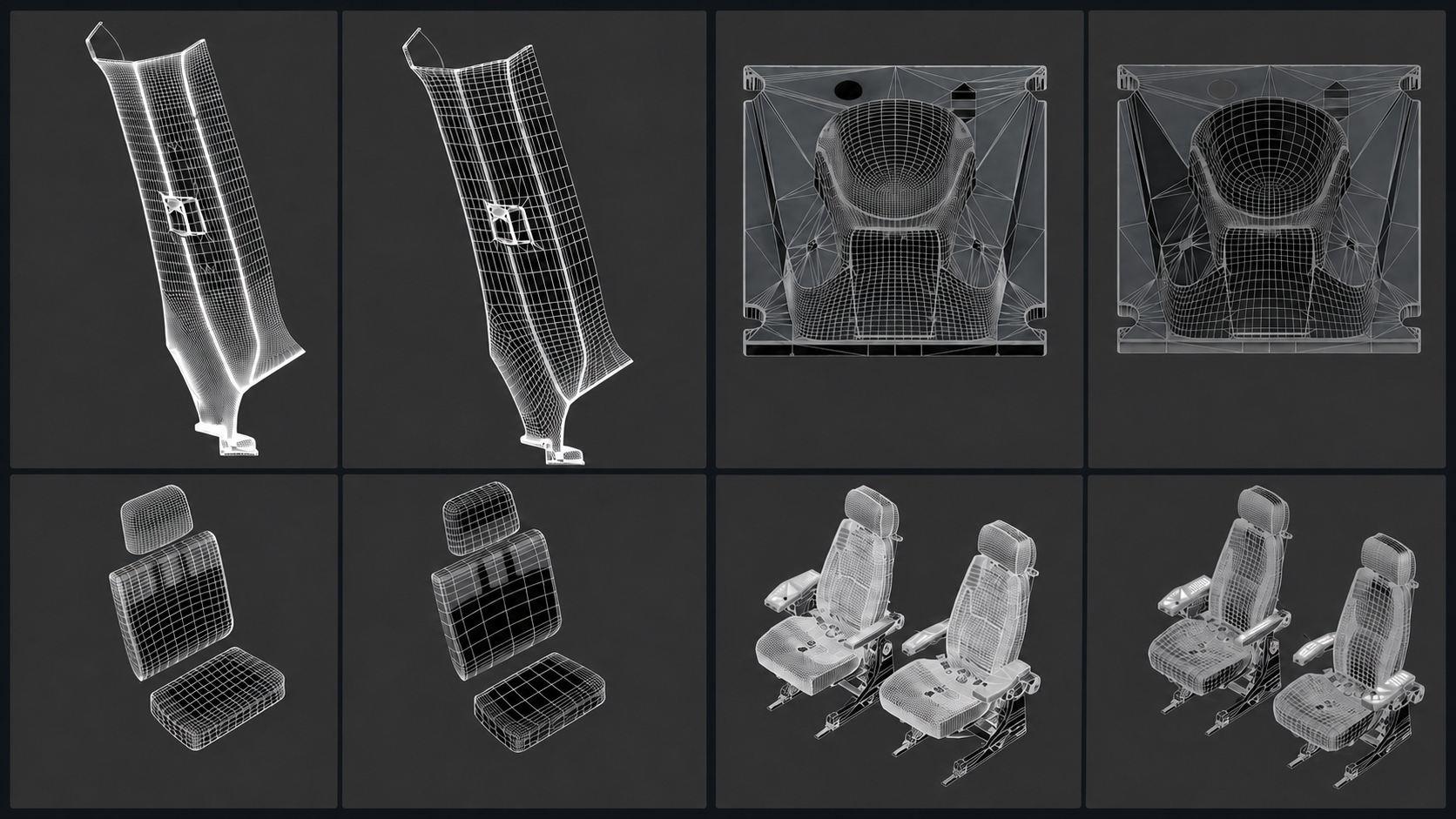
- Reduced model node counts and improved LOD switching
- Reduced unnecessary shadow rendering and introduced additional object instancing
- Reworked parts of the cockpit model structure to lessen camera-panning stutters
EFB Improvements
- Added an advisory when time acceleration is active
- Corrected landing distances produced by the landing-performance calculator
- Improved Navigraph authentication persistence between flights
- Changed default GPU auto-disconnection behaviour to prevent tripped circuit breakers and AUTO FLIGHT FAULT advisories upon pushback.
Flight-Model Refinements
- Adjusted landing-gear compression for more realistic ground handling
- Reduced excessive gear softness during takeoff and landing
What's Coming in v1.0.4
We've wrapped up v1.0.4 for the Synaptic A220 and have submitted the build to Microsoft. The changelog for this patch is now available, and we are expecting release next week! This update continues our focus on stability, performance and everyday usability. Highlights currently include:
- A new Terrain Map Launcher with tray-app controls and more accessible troubleshooting
- Further passes on the ND and EICAS to seek out performance improvements
- FMS and navigation fixes covering route drawing, intercept logic, discontinuities and top-of-descent behaviour
- Engine and APU fixes, including abnormal engine-start indications and APU sequencing issues
- Cockpit indication corrections across the PFD, TCAS, radios and aircraft-information pages
- Improved performance on the EFB LOADSHEET page
- Additional logic corrections, including preventing aircraft doors from being opened in flight
- Model node count reductions and art optimizations targeting performance
- More improvements detailed at https://docs.synapticsim.com/changelog
Looking Forward
We're already hard at work on v1.0.5, and are actively hunting down new bugs and making improvements to our flight management and guidance systems. Here's what you can look forward to:
- Improved handling of constraints on complicated procedures with more pilot involvement
- Improved guidance in holding patterns
- Better missed approach handling
- More realistic FMA mode sequencing and transitions
- More accurate time enroute, fuel burn, and deceleration predictions
- Fixed wildly incorrect distance and time estimates for flight plan destination
- Automatically displayed non-normal checklists based on CAS messages
- Support for deferred, follow-on, and timed items in checklists
- More exposed varaibles and tighter integration with third-party software

Sentry & Data Collection
To help us quickly diagnose and fix issues, we implemented Sentry on the Synaptic A220 to assist with development and testing. Sentry is a self-hosted software platform that provides telemetry and release health monitoring capabilities.
We integrated the Sentry SDK into the Synaptic A220 avionics code to help us capture diagnostic information when users experience issues such as:
- WASM crashes
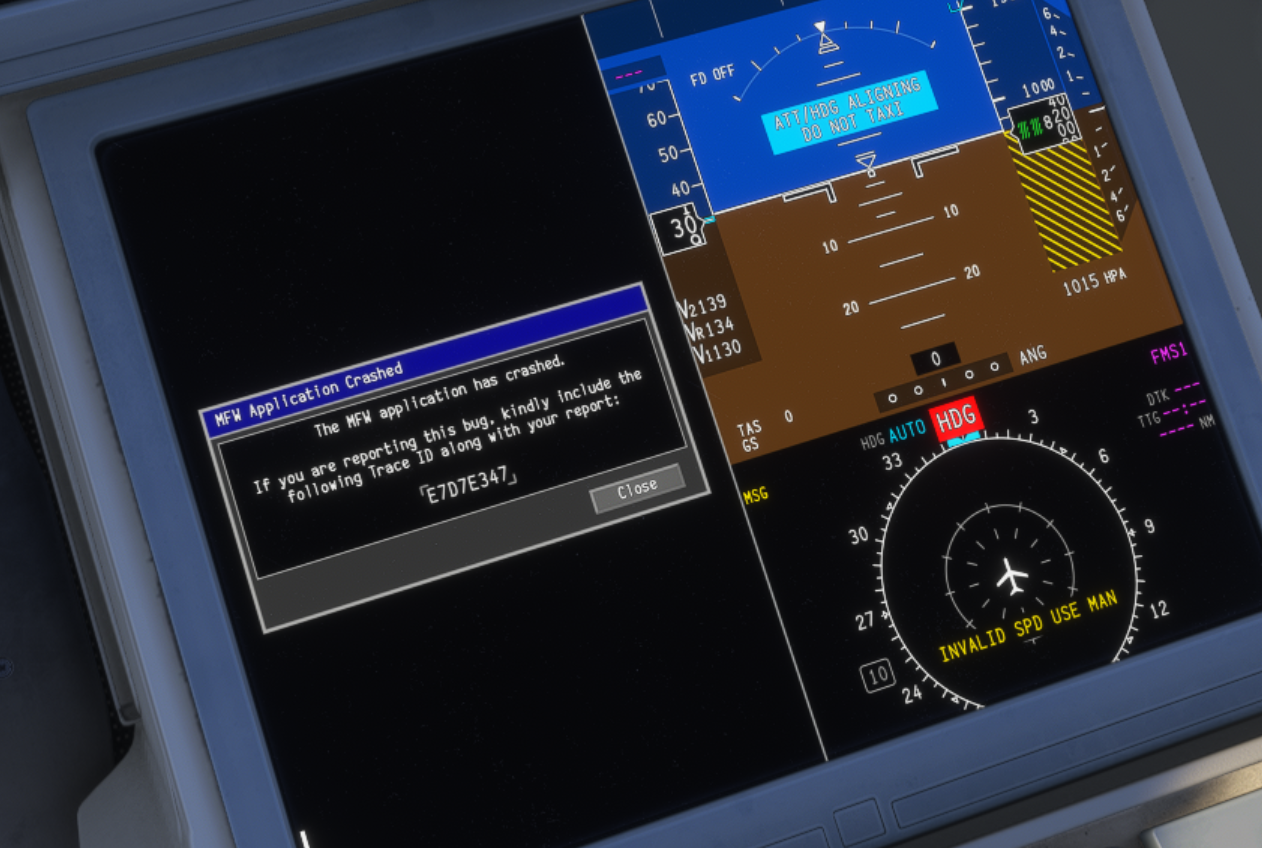
- MFW soft crashes
- Other runtime errors
When a crash occurs, Sentry allows us to see the exact line of code that triggered the issue. This is incredibly valuable for the programming team to quickly turnaround issues and push out patches quicker than conventional workflows where the developer will try and reproduce the issue to eventually fix it.
Without it, we are often left guessing at potential causes or relying on users to manually retrieve developer logs. Sentry also tracks session health (via “heartbeat” pings) so we can compare aircraft versions and measure stability improvements between releases.
We have changed how this works from initial release, and we’d like to detail how things will be going forward. In prior versions, when the aircraft was loaded and periodically during a session, a basic “session heartbeat” was sent. If a crash occurred, a payload was sent containing:
- The error message
- The source line of code responsible
- Platform (2024-PC, 2024-Xbox, 2020-PC, 2020-Xbox)
- Aircraft version
- Timestamp
- A unique user identifier (UUID) which previously was the user's gamertag.
As a self-hosted system, all data remains strictly under Synaptic Simulations' direct control at all times and is not accessed by any other third parties.
After conducting an internal review, we believe we need to do this in a better way. As of v1.0.3, Sentry is no longer active on the Synaptic A220 and all previous crash data collected has been deleted. Sentry will continue to be inactive for v1.0.4.
Firstly, we believe the use of the Xbox gamertag as the unique user identifier is not appropriate and as a result, all telemetry data will be strictly anonymous moving forward.
Secondly, starting with v1.0.5, users will be presented with a clear opt-in screen within the aircraft before any telemetry is activated. No data will be transmitted unless consent is provided.
There is no crash data collected for the duration of v1.0.3 and v1.0.4, so please report issues conventionally through the issues board on our Discord server and provide as much information as possible to help us replicate your bugs.
We want to clearly apologise for the oversight. As Sentry was a core part of our testing and internal QA process, we overlooked that gamertags were being captured as part of this process. The focus was on the crash data, error messages, pertaining code lines and stability metrics.
This was a learning curve, and we are committed to improving our processes as we grow. Our intention has always been to diagnose and resolve customer issues efficiently, and to handle any data involved with care and respect for user privacy.
Crash telemetry is invaluable for performance and stability improvement and we are committed to doing it correctly and transparently. Sentry helps our team aggregate commonly reported issues and provides a clear workflow to resolution, leading to faster updates for all customers.
We'd like to restate our commitment to learning, listening and working on doing better to deliver the best A220 experience for you all. Our team is always eager to help with your A220 concerns and questions, and we hope our next series of updates through the weeks improve the A220 user experience for everyone!
Regards,
Synaptic Team